Add repositories
Point Sightlock at drone folders, watched roots, project directories, or geometry sources.
 Start free
How Sightlock works
Sightlock is a local-first desktop workstation for organisations with large drone video and photo archives. It indexes media, telemetry, thumbnails, dates, project extents, and geometry so the archive can be searched and opened from the map.
Point Sightlock at drone folders, watched roots, project directories, or geometry sources.
Parse media metadata, telemetry, thumbnails, dates, project extents, GPS points, and flight tracks.
Click a project extent, flight path, media point, repository row, or visible map geometry.
Use path similarity, project context, date, visible extent, and geometry to compare repeat flights.
Attach inspection notes and features to coordinates, media time, severity, and export fields.
Create screenshots, synced clips, CSV, KML, GPX, GeoJSON, and comparison-ready evidence.
Repository
The repository stores enough metadata and geometry to keep the map useful even when large videos are not hard-loaded. This is the core difference from a normal folder browser: users navigate by project, place, date, visible extent, flight path, and inspection geometry.
Viewer
In Flight Viewer, the app keeps the drone video or photo connected to its GPS path. Users can scrub the video, see current position, review telemetry, switch dates/projects, capture a feature, or open the current item in Compare Studio.
Comparison
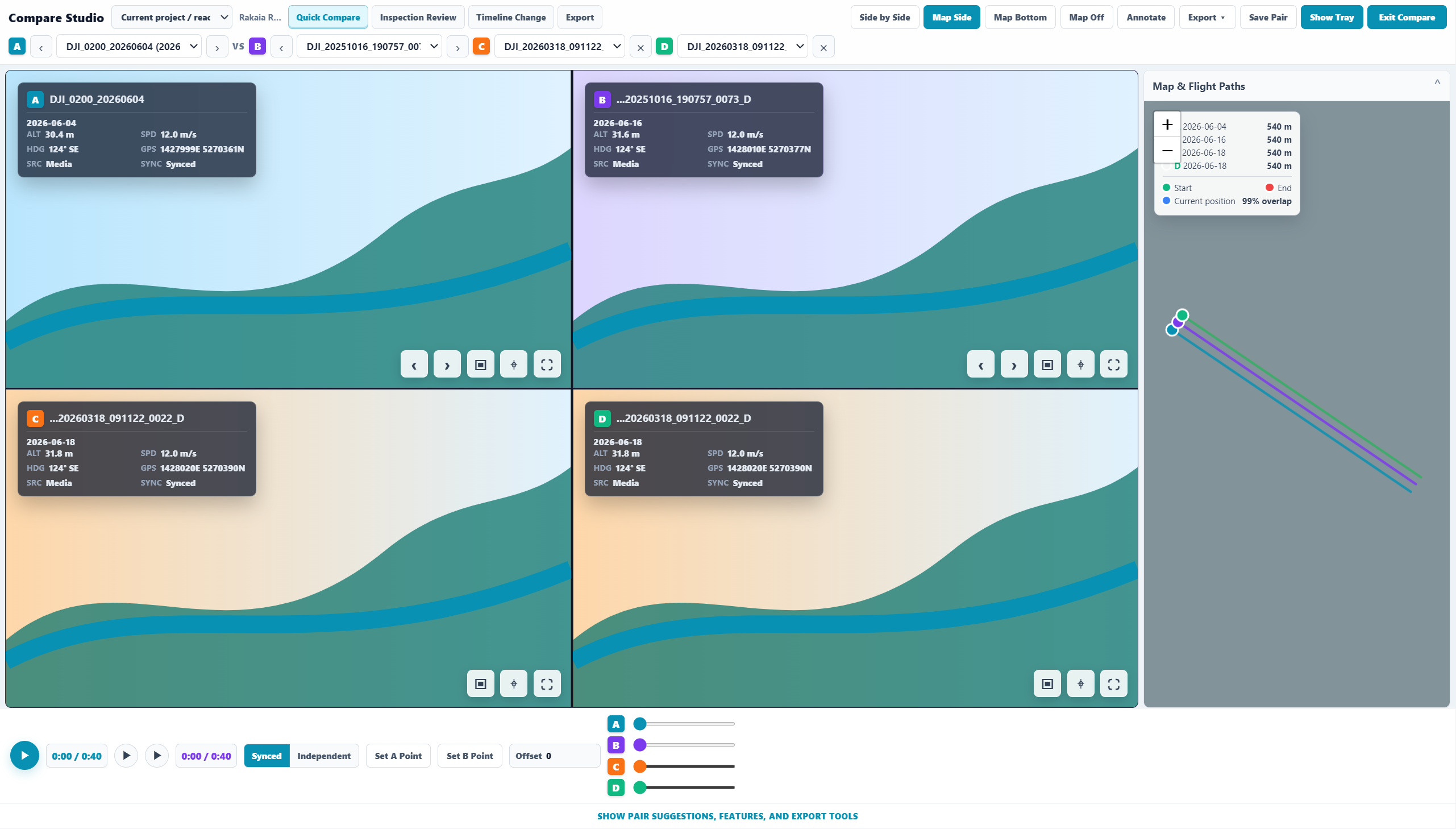
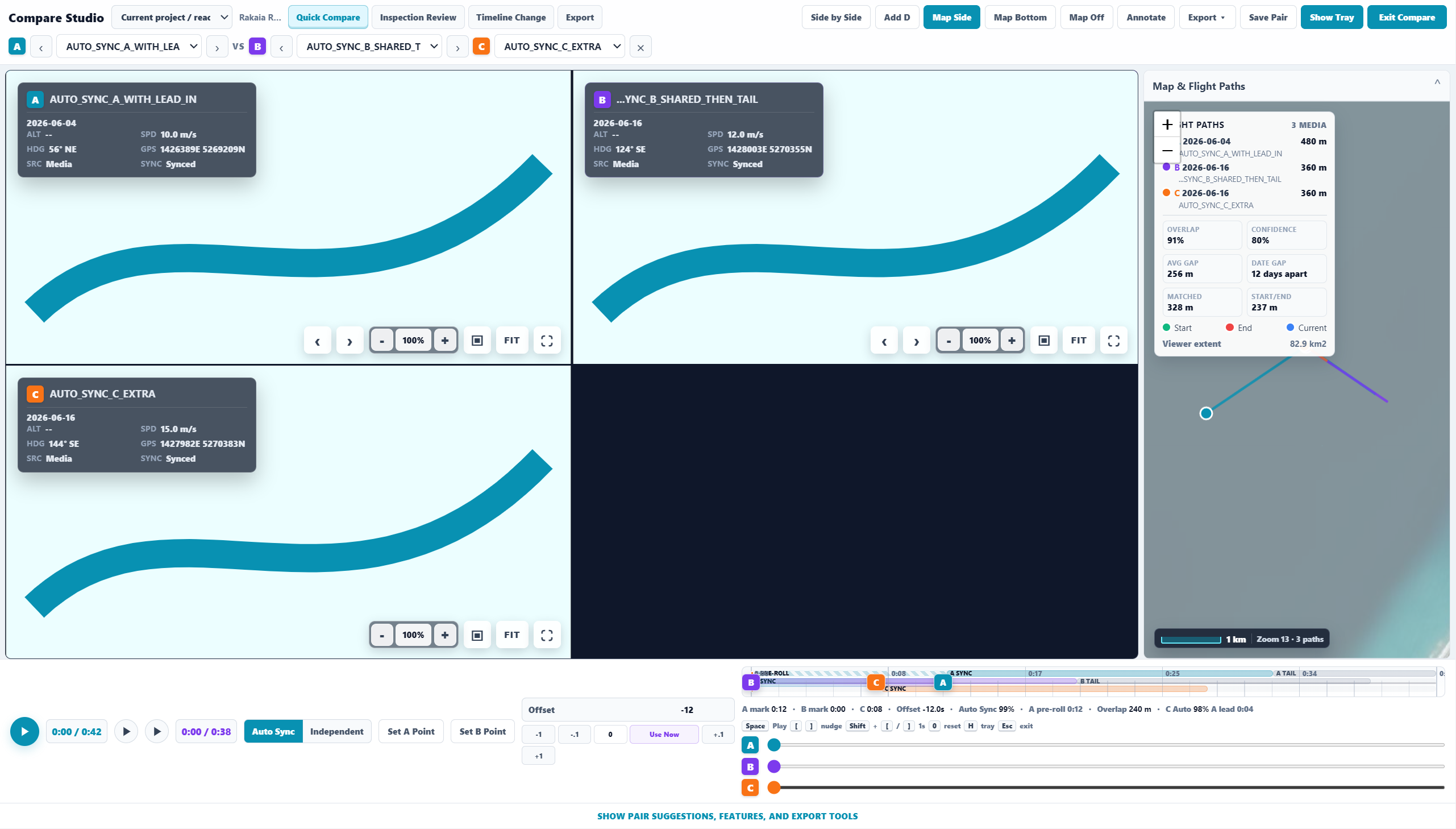
Compare Studio is designed around the question: what did this exact place look like on another date? The default pair is A/B, with C/D expansion planned for richer 2x2 review. Suggested pairs should be ranked by project, extent, path similarity, camera direction, date, and proximity rather than just filename or folder order.
Drone videos and photos stay in the organisation's folders. Sightlock works as a desktop repository and inspection workstation, with account/licence checks separate from raw media storage.
The website manages trial state, licence key, active-machine allowance, machine bindings, subscription state, invoices through Stripe, and support enquiries.
Reviewed evidence can leave Sightlock as screenshots, synced clips, feature tables, KML, GPX, GeoJSON, and GIS-ready outputs for project records and downstream systems.
Why it matters
A normal drone archive asks users to remember names, dates, and folder structures. Sightlock lets teams start from a river reach, coastline, road, bridge, stopbank, corridor, project extent, or visible map area, then open the relevant media directly.
Who it is for
Sightlock is built for drone survey teams, coastal and river engineers, stopbank reviewers, infrastructure inspectors, GIS teams, councils, consultants, and organisations that need repeatable inspection evidence from large video/photo repositories.
Try the workflow
Use the no-card trial to test real drone folders, validate the map-first workflow, and decide whether Sightlock fits your organisation's inspection process.