Geometry-first navigation
Each indexed video or photo can carry a line, point, or telemetry track. The map becomes the entry point into the archive, so users can open media by place instead of by file name.
Drone video map viewer
Sightlock is built around a map-first way of reviewing drone footage. Instead of hunting through folders, reviewers can use GPS tracks, project extents, visible map areas, and media geometry to open the video or photo that belongs to the location they are inspecting.
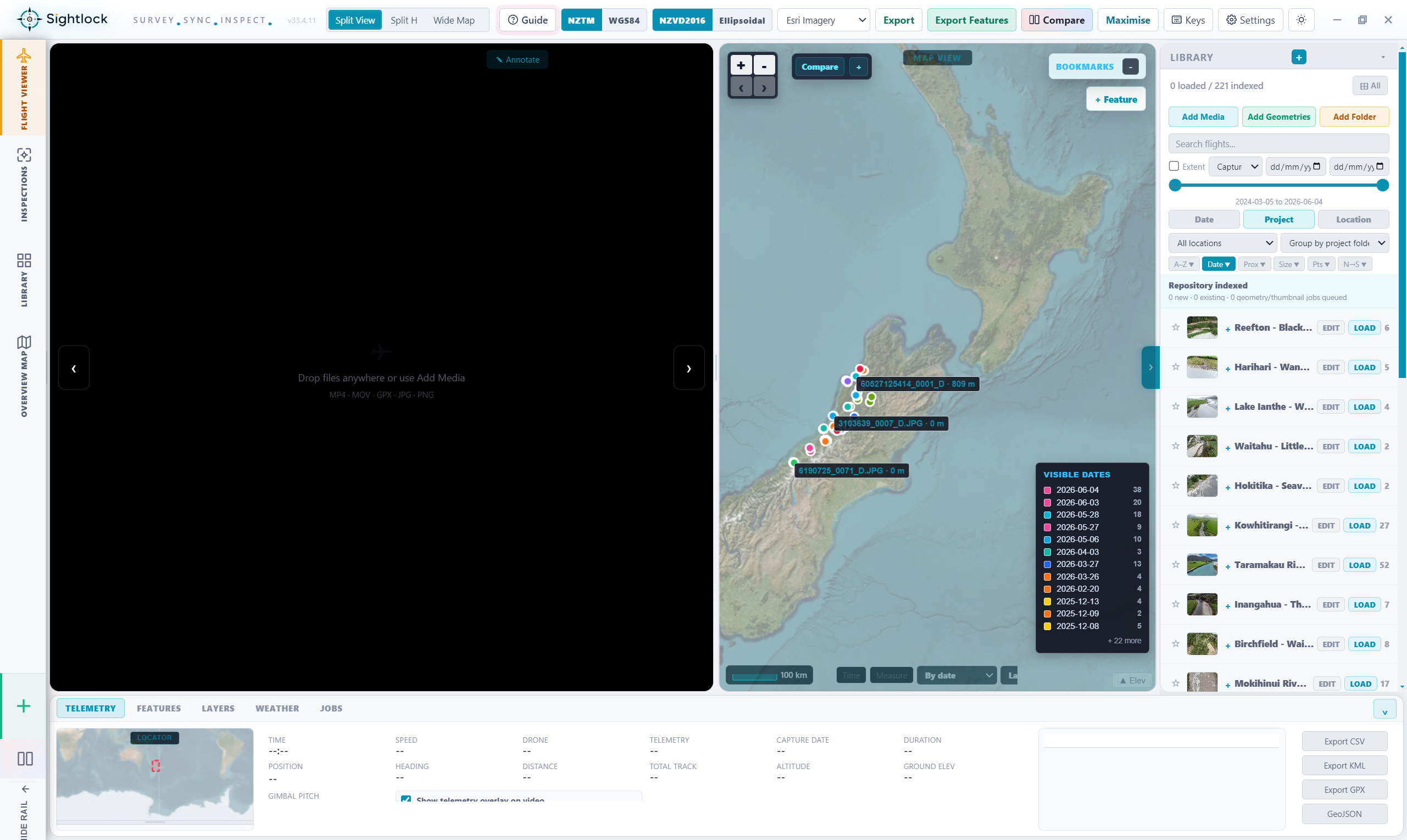
Each indexed video or photo can carry a line, point, or telemetry track. The map becomes the entry point into the archive, so users can open media by place instead of by file name.
Filters for project, date, location, media type, and visible extent keep the right media in view while hiding archive noise that does not belong to the current inspection.
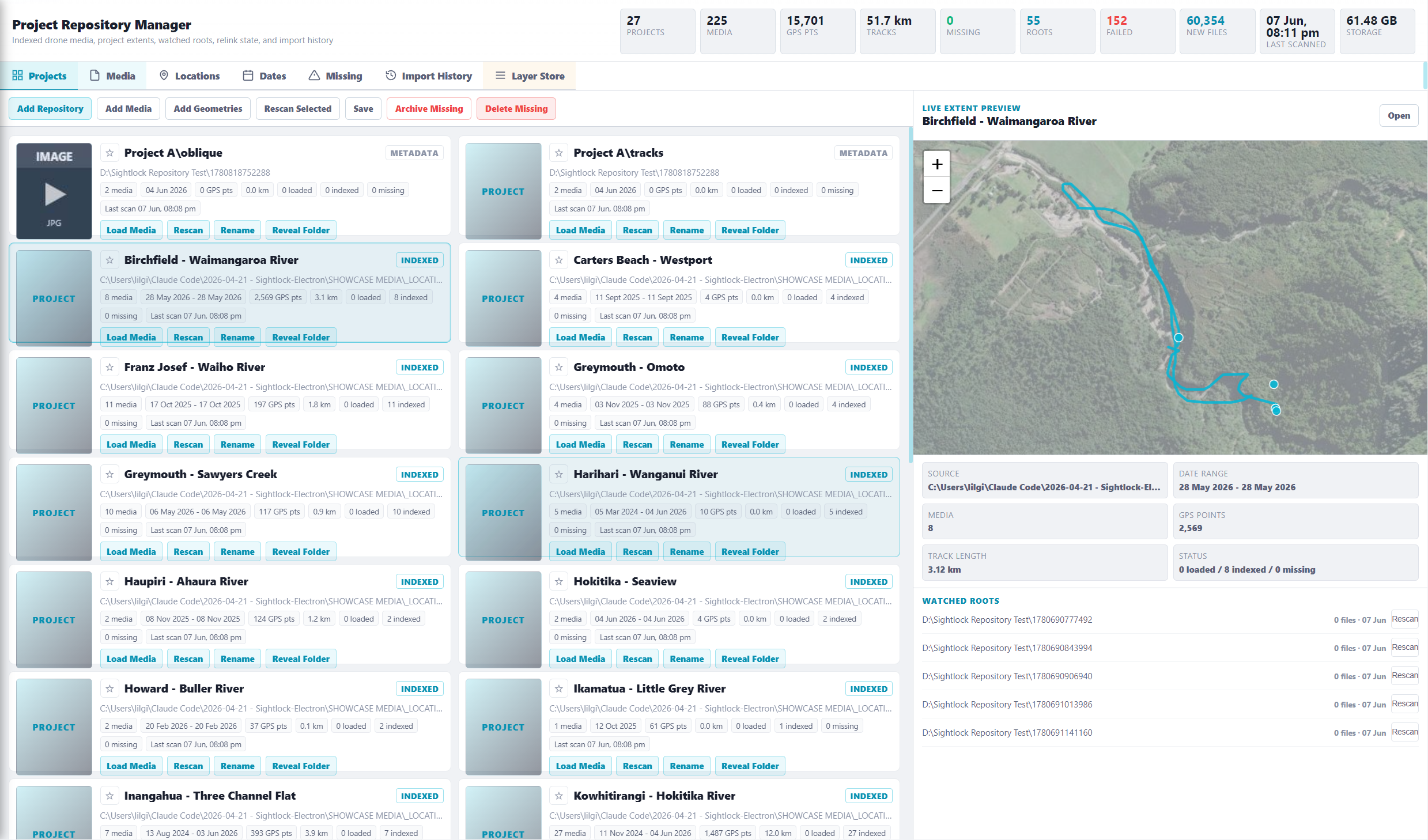
Large repositories can keep thumbnails and geometry available without loading every raw video. Sightlock loads the selected media when the reviewer actually needs to inspect it.
Drone model, source type, speed, altitude, heading, capture date, duration, GPS source, and total track length can support review without replacing the video as the main surface.
Why this matters
When a team has hundreds of inspections, folder names stop being enough. Sightlock keeps the spatial index live so a reviewer can zoom to a river reach, stopbank, seawall, road corridor, site, or structure and open the matching media from the map.
Launch trial
Start free, index a project, and test whether geometry-first navigation makes your drone footage easier to use.