Features and observations
Capture points, lines, areas, notes, severity, timestamps, side A or B, chainage, and inspection context while the media and map remain connected.
Drone survey GIS export
Sightlock is not just a viewer. The workstation direction connects media geometry, observations, features, comparison screenshots, synced clips, telemetry, and export formats so inspection findings can leave the review session cleanly.
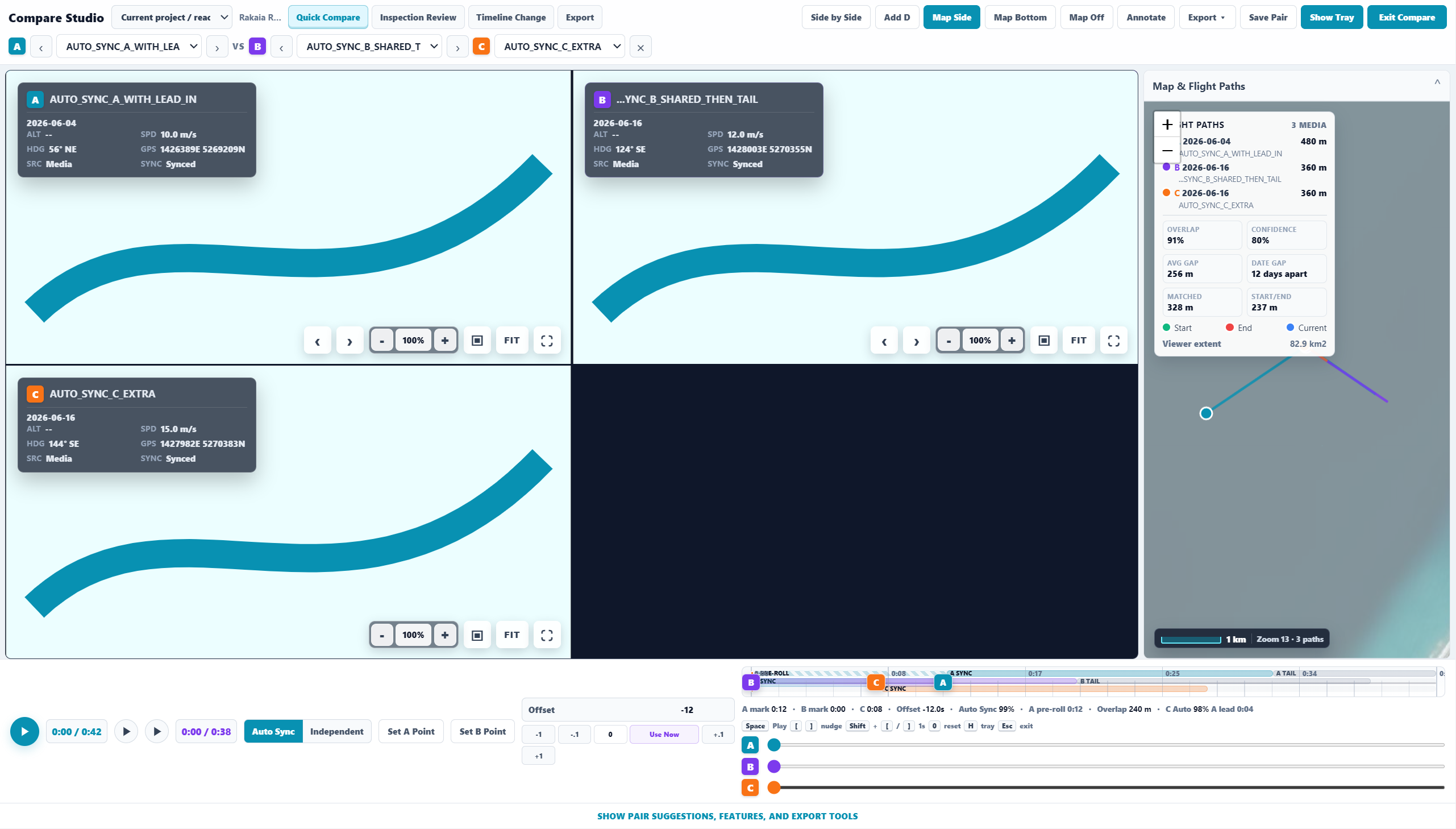
Capture points, lines, areas, notes, severity, timestamps, side A or B, chainage, and inspection context while the media and map remain connected.
The product direction includes CSV, KML, GPX, GeoJSON, and shapefile-oriented workflows so reviewed observations can move into GIS and reporting systems.
Export previews should match output: side-by-side comparison, map side, map bottom, telemetry on or off, title labels, timestamps, and feature overlays.
Exports should remain traceable back to source media, date, project, geometry, and observation metadata rather than becoming detached screenshots in a folder.
GIS control room
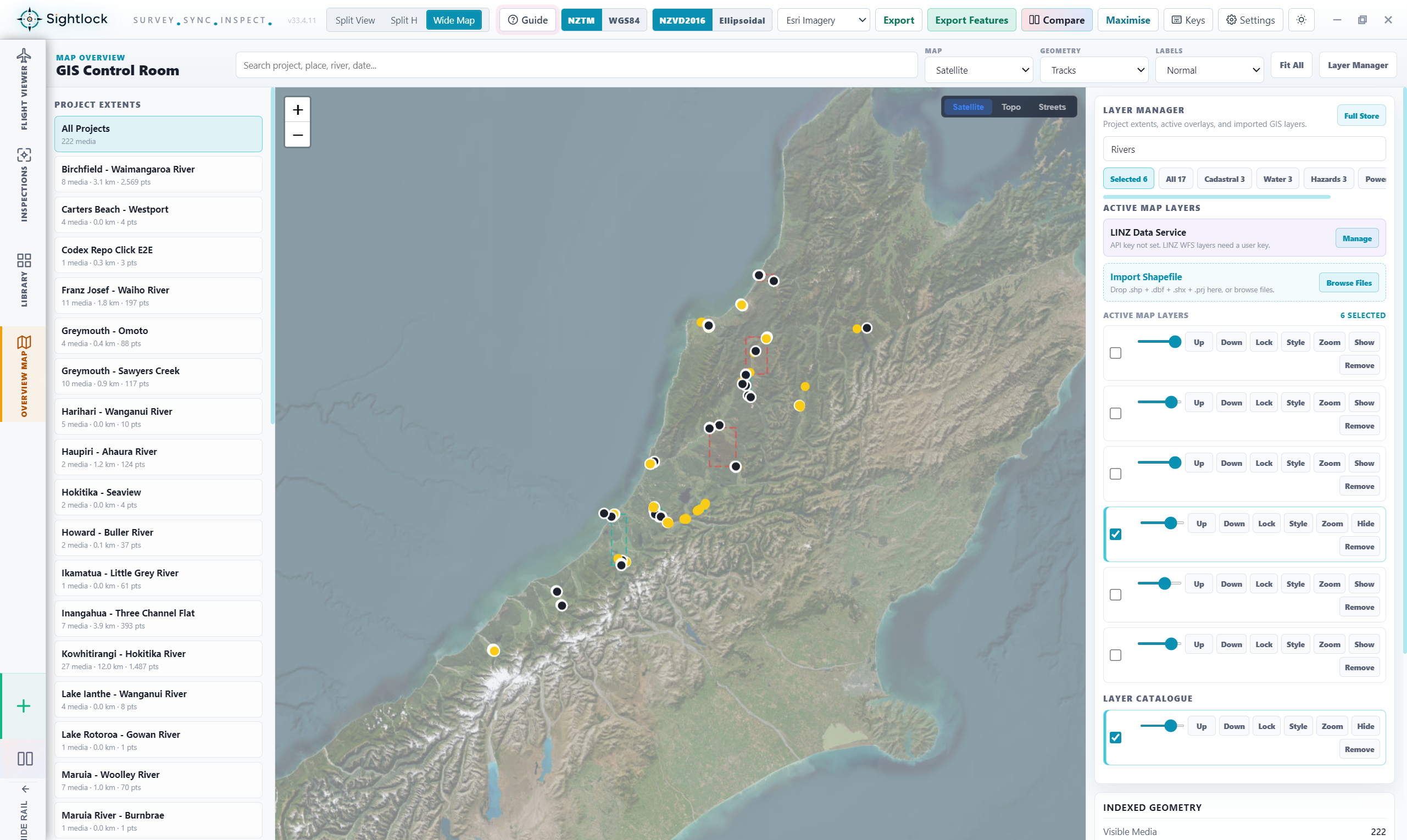
Sightlock's GIS direction includes active layers, opacity, draw order, imported shapefiles, layer presets, project extents, media clusters, and map style controls. The aim is a focused inspection workstation, not a generic dashboard.
Evidence workflow
Use the free launch trial to see whether Sightlock can make your team's drone survey evidence easier to inspect and share.